
Download Creaitor – AI‑Driven Content Creation & SEO Platform
Overview
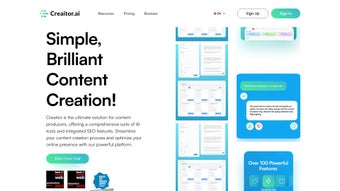
Creaitor is a next‑generation, AI‑driven content creation and SEO platform that combines powerful language models with an integrated suite of optimization tools. Designed for marketers, copywriters, bloggers, and e‑commerce teams, Creaitor automates the entire content workflow—from ideation and bulk article generation to visual asset creation and rank‑tracking. Its hallmark features, such as the Article Wizard and SERP Beater, empower users to produce search‑engine‑friendly copy while keeping an eye on competitor strategies. By leveraging machine‑learning algorithms for keyword research, SERP analysis, and SEO scoring, Creaitor reduces the time spent on repetitive tasks and helps businesses achieve higher visibility on Google, Bing, and other major search engines. The platform also includes an advanced AI chat that can answer content‑related queries, refine drafts, and suggest improvements in real time, making it a true “all‑in‑one” solution for modern digital teams.
Key Features & Tools
- Bulk Processor: Generate hundreds of SEO‑optimized articles in minutes, with customizable templates and tone settings.
- Image Generation: Create unique, royalty‑free visuals using AI, perfect for blog headers, social posts, and product listings.
- Article Wizard: Step‑by‑step guide that builds a fully structured, keyword‑rich article, including headings, meta descriptions, and internal linking suggestions.
- SERP Beater: Analyze competitor rankings, uncover content gaps, and receive actionable recommendations to outrank top performers.
- Keyword Research Suite: AI‑enhanced suggestions, search volume data, and difficulty scores to target the most profitable terms.
- SEO Scoring & Recommendations: Real‑time feedback on readability, keyword density, outbound links, and schema markup compliance.
- Rank Tracking Dashboard: Monitor keyword positions across multiple search engines with daily updates and alerts.
- AI Chat Assistant: Conversational interface for brainstorming topics, rewriting paragraphs, and checking plagiarism.
- Content Calendar Integration: Sync generated pieces with popular project management tools like Trello, Asana, and Monday.com.
- Multi‑Language Support: Write and optimize content in over 30 languages, with localized SEO recommendations.
Why These Features Matter
In today’s fast‑paced digital environment, the ability to scale content without sacrificing quality is a competitive advantage. Creaitor’s Bulk Processor eliminates the bottleneck of manual article drafting, allowing agencies to meet demanding client calendars. Meanwhile, the Image Generation tool removes the need for separate graphic design subscriptions, keeping the entire creative workflow within a single platform. The SEO Suite, especially the Article Wizard and SERP Beater, ensures that each piece of content is not only well‑written but also primed for ranking, which translates directly into higher organic traffic and lower acquisition costs. By integrating rank tracking and real‑time scoring, Creaitor turns SEO from a periodic audit into a continuous improvement loop, helping marketers respond quickly to algorithm updates and shifting search intent.
Installation, Usage & Compatibility
Getting Started – Step‑by‑Step Installation
Creaitor is delivered as a cloud‑based SaaS solution, which means there is no traditional software download or installation on your local machine. To begin, visit the official Creaitor website, click the “Start Free Trial” button, and fill in your basic information. After confirming your email address, you’ll be directed to a secure dashboard where you can configure your first project. For teams that prefer an on‑premise option, Creaitor offers an enterprise‑grade Docker image that can be deployed on private servers or Kubernetes clusters. The Docker image includes pre‑built containers for the AI engine, database, and front‑end, and the setup wizard walks you through environment variables, SSL certificates, and API key generation.
Usage Workflow – From Idea to Publication
Once logged in, the intuitive UI guides you through a four‑stage workflow:
- Idea Generation: Use the AI Chat to brainstorm topics based on your niche, target audience, or trending keywords.
- Research & Planning: Run the Keyword Research Suite to select primary and secondary terms, then add them to the Article Wizard.
- Content Creation: Choose between the Article Wizard for guided writing or the Bulk Processor for mass production. The AI suggests headings, subheadings, and even calls‑to‑action while maintaining your chosen tone.
- Optimization & Publishing: The SEO Scoring panel provides instant feedback. After final tweaks, export the article in HTML, Markdown, or directly push it to WordPress, HubSpot, or Contentful via built‑in integrations.
Throughout the process, the platform auto‑saves every revision, and you can revert to earlier drafts with a single click. The Rank Tracking dashboard updates daily, allowing you to see the impact of each published piece within 24‑48 hours.
Supported Operating Systems & Devices
Creaitor’s web interface is fully responsive and works on Windows 10/11, macOS Monterey and later, Linux distributions with modern browsers, as well as iOS 14+ and Android 9+. Because the service runs in the cloud, performance is independent of your local hardware; only a stable internet connection is required. For enterprise customers, the on‑premise Docker deployment supports Linux‑based servers (Ubuntu 20.04 LTS, CentOS 8, Debian 11) and can be orchestrated with Kubernetes 1.23+.
Pros, Cons & Frequently Asked Questions
Pros
- All‑in‑one AI content creation and SEO suite eliminates the need for multiple subscriptions.
- Bulk Processor saves hours of manual writing, ideal for agencies handling large volumes.
- Integrated rank tracking provides real‑time visibility into keyword performance.
- Multi‑language support expands reach to global markets.
- Cloud‑based platform ensures instant updates and zero local maintenance.
Cons
- Pricing can be steep for solo freelancers compared to basic AI writers.
- Learning curve for the advanced SEO Suite may overwhelm beginners.
- On‑premise Docker deployment requires moderate DevOps knowledge.
- Limited offline capabilities; a stable internet connection is mandatory.
- Some niche industries may need additional custom prompt tuning for optimal results.
FAQ – Answers from the Creaitor Team
Is there a free version of Creaitor?
Creaitor offers a 14‑day free trial with full feature access. After the trial, you can choose a monthly or annual subscription, but there is no permanently free tier.
Can I export content directly to WordPress?
Yes, Creaitor includes a native WordPress connector that publishes articles with proper formatting, SEO metadata, and featured images in a single click.
How does Creaitor ensure content uniqueness?
The platform runs a built‑in plagiarism checker against billions of web pages. It also uses a proprietary re‑phraser that modifies sentence structures while preserving meaning.
What kind of support is available for enterprise customers?
Enterprise plans include 24/7 priority support, a dedicated account manager, and optional on‑site training sessions for your content team.
Is my data safe on Creaitor’s cloud platform?
All data is encrypted in transit (TLS 1.3) and at rest (AES‑256). Creaitor complies with GDPR, CCPA, and ISO 27001 standards, ensuring robust data protection.
Review Summary
Rating: 4.5 out of 5 stars
Pros: Comprehensive AI & SEO toolkit, excellent bulk generation, real‑time rank tracking.
Cons: Higher price point for solo users, steep learning curve for advanced features.
Conclusion & Call to Action
Creaitor stands out as a robust, AI‑powered platform that bridges the gap between content creation and search‑engine optimization. Its blend of bulk article generation, visual asset creation, and an in‑depth SEO Suite makes it a compelling choice for agencies, growing businesses, and seasoned marketers who need to scale content without compromising quality. While the pricing may be a consideration for freelancers, the time saved on research, drafting, and optimization often justifies the investment. If you’re looking for a secure, continuously updated solution that adapts to algorithm changes and supports multilingual publishing, Creaitor deserves a spot on your digital toolkit.
Ready to accelerate your content workflow and climb the SERPs? Start your free trial today and experience the power of AI‑driven SEO firsthand.



.png)



